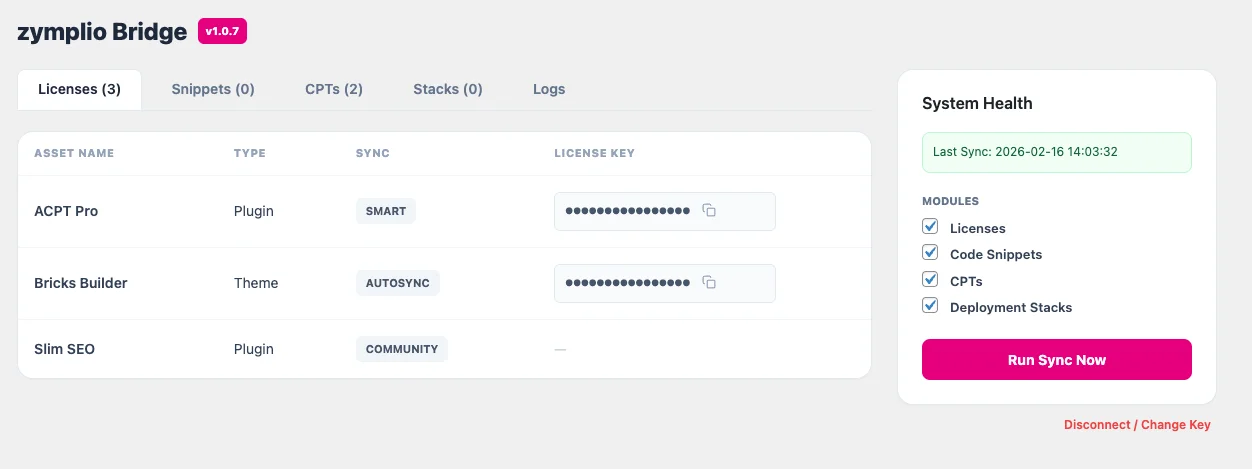
The zymplio Bridge is a lightweight but powerful plugin that acts as the “receiver” on your WordPress site. It allows your Agency Cockpit to securely talk to your website, automate boring tasks, and push professional structures instantly.
Think of it as a secure tunnel between your central library and your live projects.
1. What does it actually do?
The Bridge listens for signals from your zymplio Dashboard. When you click “Sync” or “Push,” the Bridge performs these actions automatically:
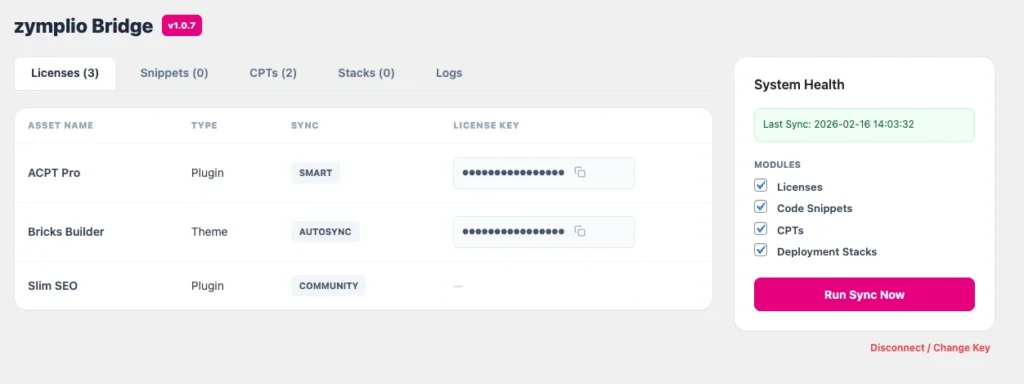
- License Provisioning: It finds the right settings fields for your Pro plugins (like Bricks or ACF) and enters your license keys for you.
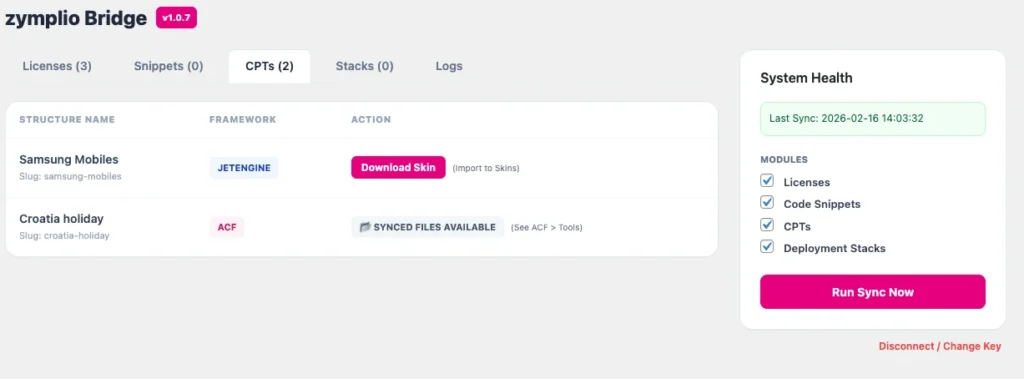
- Infrastructure Building: It creates the Custom Post Types (CPTs) and database structures you designed with the AI Architect.
- Code Injection: It safely activates your custom CSS and JavaScript snippets without you having to open a single file.
- Asset Installation: It can even download and activate missing plugins or themes assigned to your site’s Stack.
2. New: The Media Push Feature
With the latest update (v1.0.7), the Bridge now supports the WebP Pro Converter.
- When you optimize images in your Cockpit, you can “Push” them directly to WordPress.
- The Bridge receives the high-speed data, saves it to your WordPress Media Library, and makes it ready for use instantly.
3. Professional Security & Performance
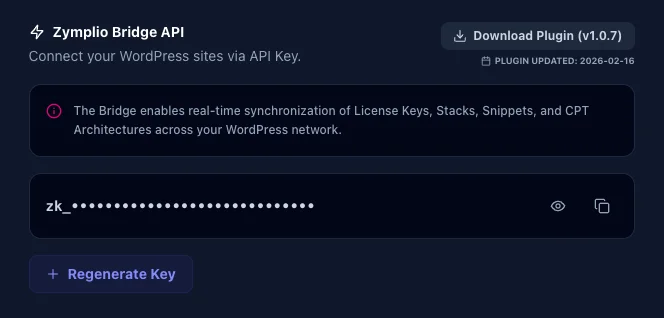
- Zero-Knowledge Security: The Bridge uses a unique API Key (zk_…) to verify every request. Only your Dashboard has the authority to make changes.
- CORS Ready: We’ve built-in advanced “Cross-Origin” rules. This means your browser can safely send data from the zymplio Hub to your site without being blocked by modern browser security filters.
How to Connect Your Site
- Get your Key: Go to your zymplio Profile Settings and copy your Bridge API Key.
- Install the Bridge: Upload the zymplio-bridge.php file to your WordPress Plugins folder and activate it.
- Establish Connection: Open the “zymplio Bridge” menu in your WordPress sidebar, paste your key, and click “Establish Connection.”
- Run First Sync: Click “Run Sync Now” to pull all your assigned licenses, snippets, and structures for the first time.