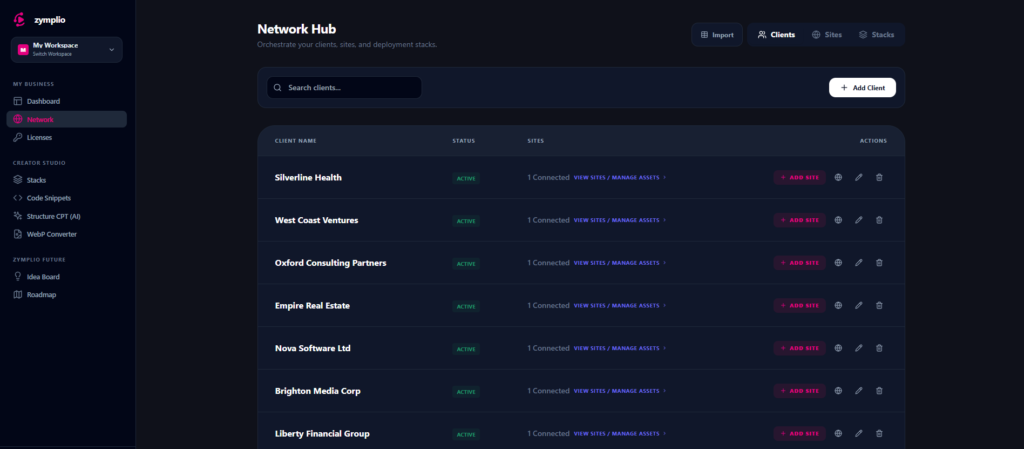
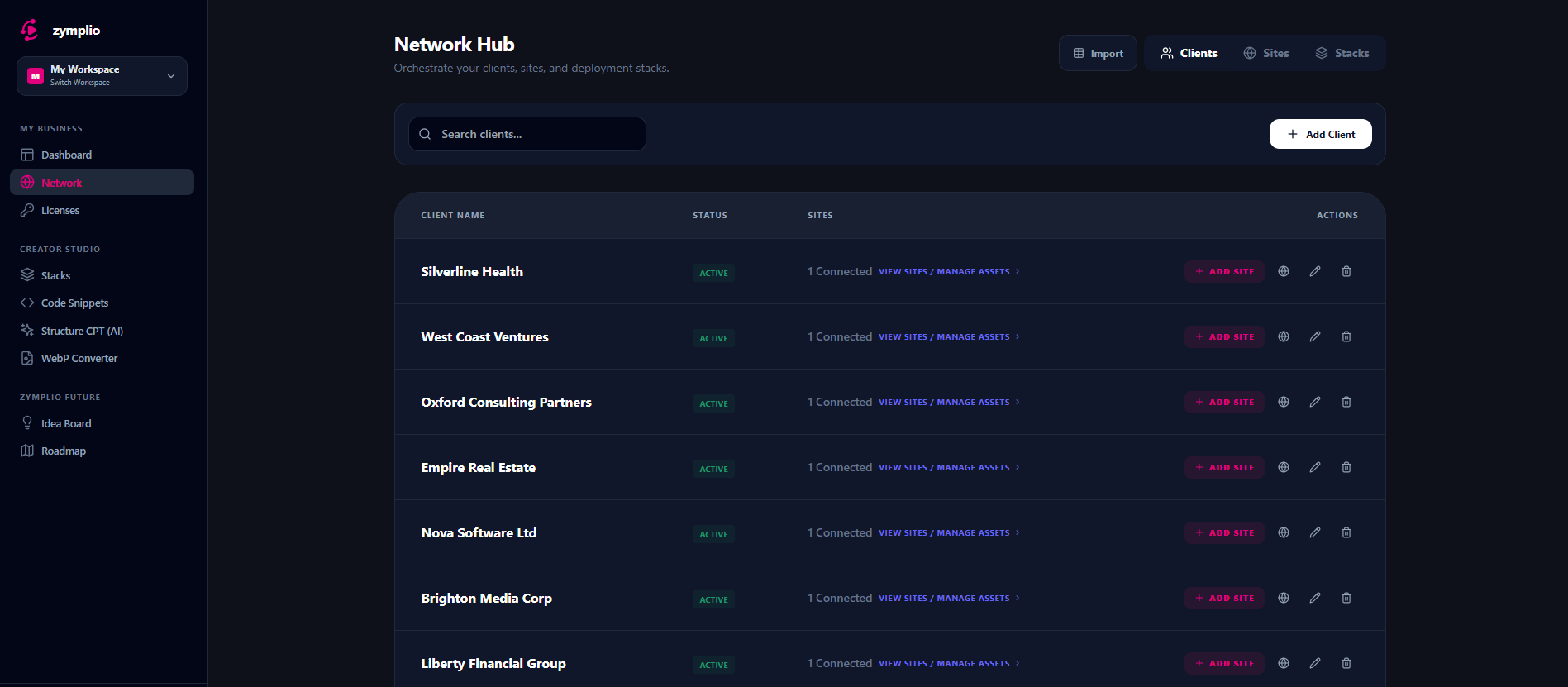
The Network Hub is where you organize your business. It’s the place where you connect your central library (your “Vault”) to your actual WordPress websites.
Think of it as a three-level system: Clients > Sites > Stacks.
1. Clients: Your Business Containers
A Client is the top level of organization. It represents a company or a person you work for.
- Why use them? Clients act as containers. By grouping sites under a client, you keep your workspace clean and professional.
- Starter Tip: In the Starter plan, you can manage 1 Client profile to get a feel for the workflow.
2. Sites: Your WordPress Instances
A Site is a specific WordPress installation. For every site, you can define its environment:
- Live: Your client’s actual website.
- Staging: Your testing area.
- Dev: Your local development site.
- The Bridge: When you add a site, you can connect it using the zymplio Bridge plugin. This allows your Cockpit to “talk” to the website directly.
3. Stacks: Your Deployment Speed-Boosters
A Stack is a powerful bundle of your favorite assets. Instead of assigning every plugin or snippet one by one, you can create a “Stack” (for example, a “Standard SEO & Security Stack”) and deploy it to a new site in seconds. It’s the ultimate way to scale your agency.
How “Assigning” Works (The Magic Button)
In the Network Hub, you will see a “Rocket” button on every site card. This is the Assign button, and it is where the magic happens.
What does “Assigning” mean?
Assigning is the act of linking an asset from your central library to a specific website. You can assign:
- Licenses: Automatically activate your Pro plugins on that site.
- Code Snippets: Push your custom CSS or PHP functions directly to the site.
- Structure CPTs: Send your AI-generated database structures to WordPress.
- Stacks: Deploy a whole group of assets at once.
Why is it so good?
- Automation: You don’t have to log into WordPress, copy-paste a license key, or manually create a Custom Post Type. zymplio does it for you.
- Central Control: If you update a snippet in your library, you can see exactly which sites it is assigned to and keep everything in sync.
- Remote Sync: With the “Sync Now” button in the Assign modal, you can “ping” your live site. This tells the WordPress Bridge to grab all the new assignments and apply them instantly.