Team Management in zymplio is your control center for collaboration. It allows you to invite employees, freelancers, or partners into your agency so you can work on projects together—securely, fast, and without the chaos.
1. Your Workspace
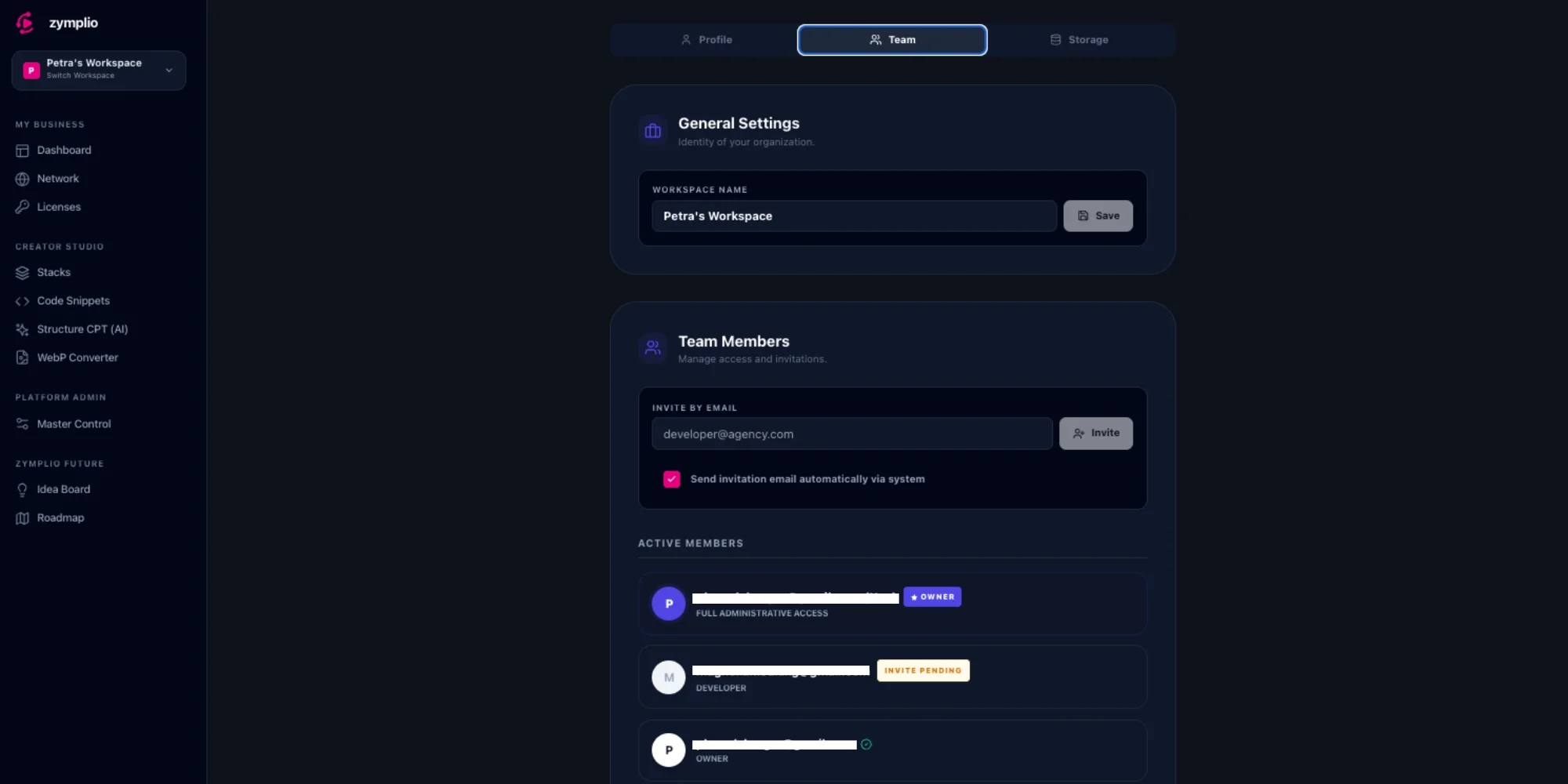
Every agency has its own Workspace. You can give this area a name (e.g., “Design Studio X”) to give your organization an identity. Everything you create in zymplio—licenses, stacks, snippets—belongs to this workspace and can be shared with your team.
2. Roles and Permissions
There are two clear roles in zymplio:
- Agency Owner: This is you. You have full control. You can manage the workspace, view billing, and add or remove team members.
- Team Member: Invited users can see and use all shared assets (licenses, code, stacks), but they cannot change administrative settings or manage the team.
3. Invitations & Security
Inviting team members is easy and extremely secure:
- Email Invitation: Simply enter your colleague’s email address. zymplio will automatically send an invite.
- Secure Access Link: The system generates a special link. When your colleague clicks it, they automatically become part of your team.
- Zero-Knowledge Encryption: This is the heart of our security. When you invite someone, they receive the “Workspace Master Key” via the secure link. Only with this key can they see your encrypted data (like license keys). zymplio itself never has access to this data!
How to Manage Your Team
Step 1: Invite Team Members
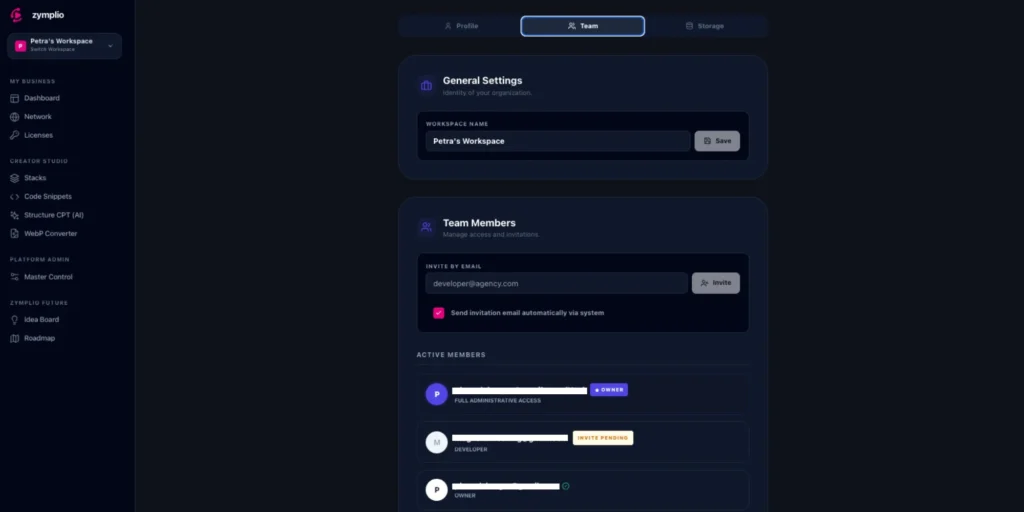
Go to Settings and select “Team.” Enter the email address of your new colleague and click “Invite.”
Step 2: Check Status
In the Active Members list, you can immediately see who is already active and whose invitation is still “Pending.”
Step 3: Revoke Access
If a project ends or a member leaves the agency, you can end their access instantly by clicking the Trash Icon. The user will immediately lose access to all agency data.