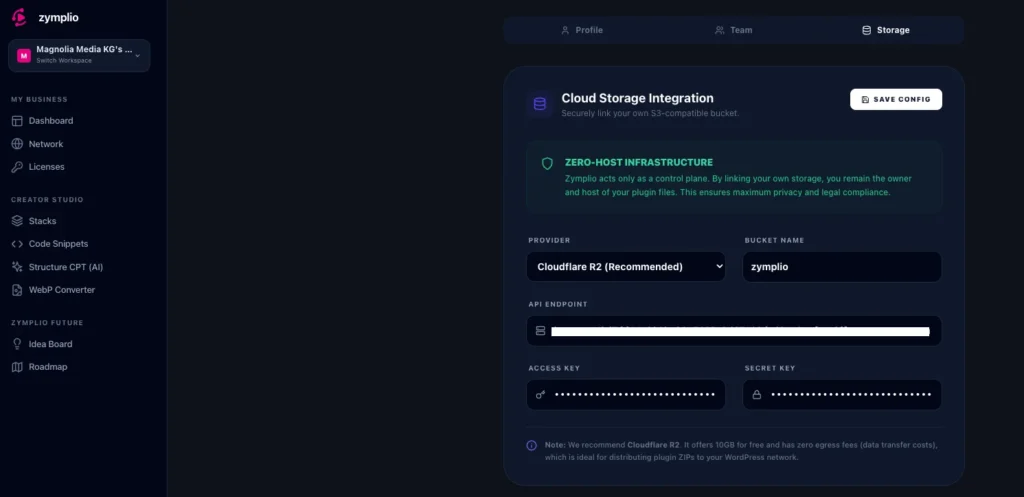
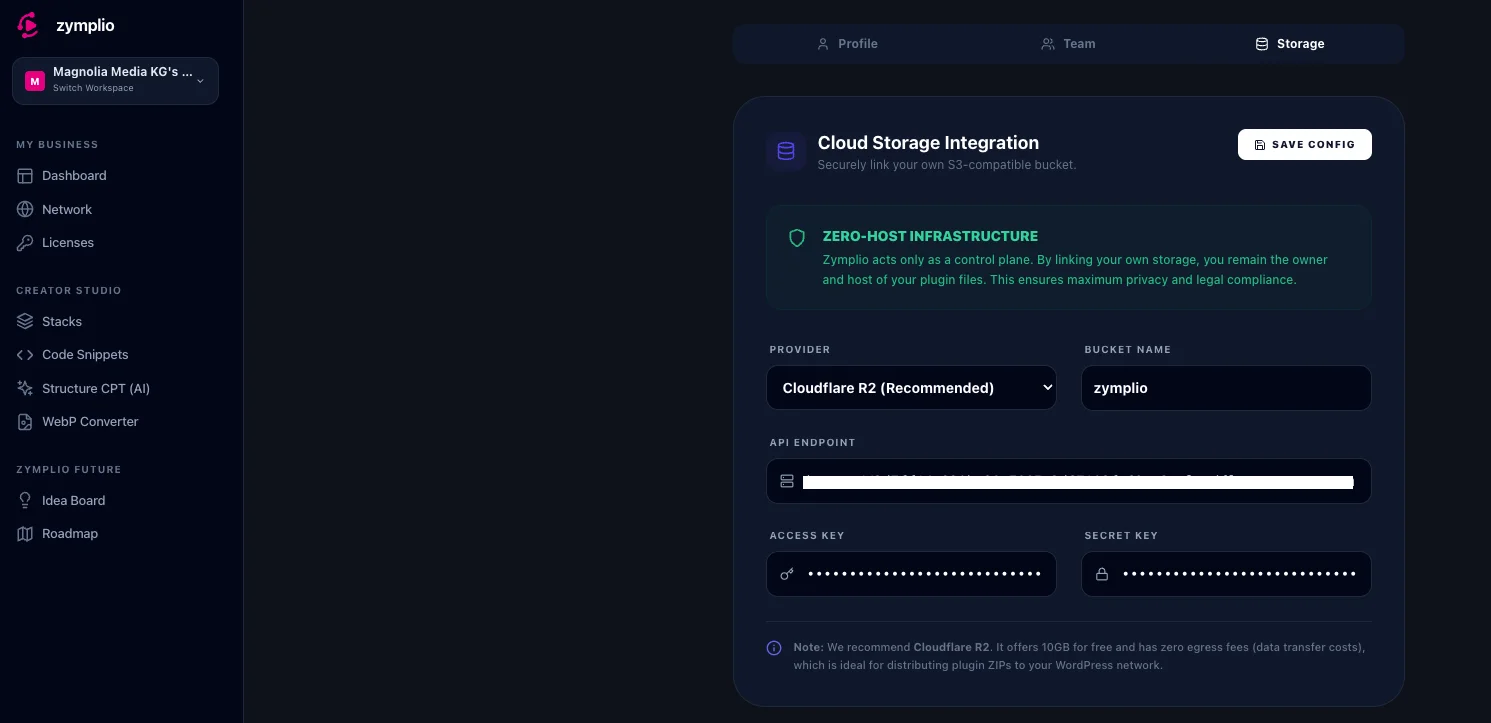
The Storage function is a powerful feature for agencies that want maximum control and privacy. It allows you to connect your own cloud storage (like Cloudflare R2 or AWS S3) to zymplio to host your private plugin files and assets.
1. What is it for?
Normally, when you manage a license in zymplio, you just save the key. With Private Storage, you can actually upload the plugin’s .zip file to your own secure “bucket.” This allows zymplio to automatically install that plugin on your client sites whenever you deploy a Stack or a License.
2. Why use your own Storage?
- Zero-Host Infrastructure: zymplio does not host your files. You remain the 100% owner of your data. We only act as the “remote control” to tell your WordPress sites where to find the files.
- Privacy & Compliance: Since the files stay in your own account (e.g., in a German AWS region or a private Cloudflare bucket), you meet the highest security and legal standards.
- No Data Limits: You aren’t limited by zymplio’s storage space. You use your own space, which is often free for the first few gigabytes.
3. Recommended Provider: Cloudflare R2
We highly recommend Cloudflare R2. Why?
- 10GB Free: They offer a generous free tier.
- Zero Egress Fees: Unlike other providers, Cloudflare doesn’t charge you when your WordPress sites download the files. This makes it the most cost-effective solution for agencies.
How to Set Up Your Storage
Step 1: Create a Bucket
Go to your cloud provider (e.g., Cloudflare or AWS) and create a new “S3 Bucket.” Note down the Bucket Name and the Endpoint URL.
Step 2: Generate API Keys
Create an “Access Key” and a “Secret Key” in your provider’s dashboard. These act like a username and password for zymplio to talk to your storage.
Step 3: Link to zymplio
- Go to Settings > Storage in your zymplio dashboard.
- Enter your Endpoint, Bucket Name, and the API Keys.
- Click “Save Config.”
Step 4: Upload Assets
Now, when you add a new License in the License Vault, you will see an “Upload to Storage” option. Simply drag your plugin .zip file there. It will be uploaded to your bucket and is ready for one-click deployment!