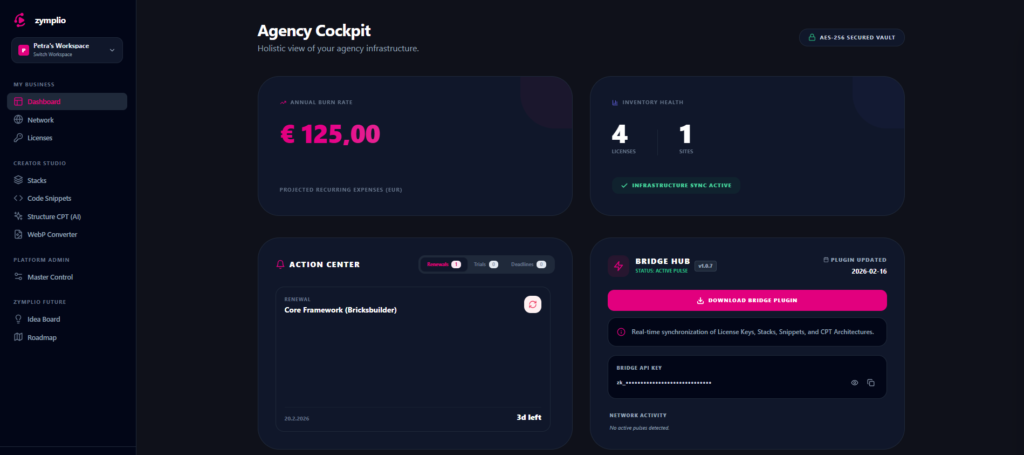
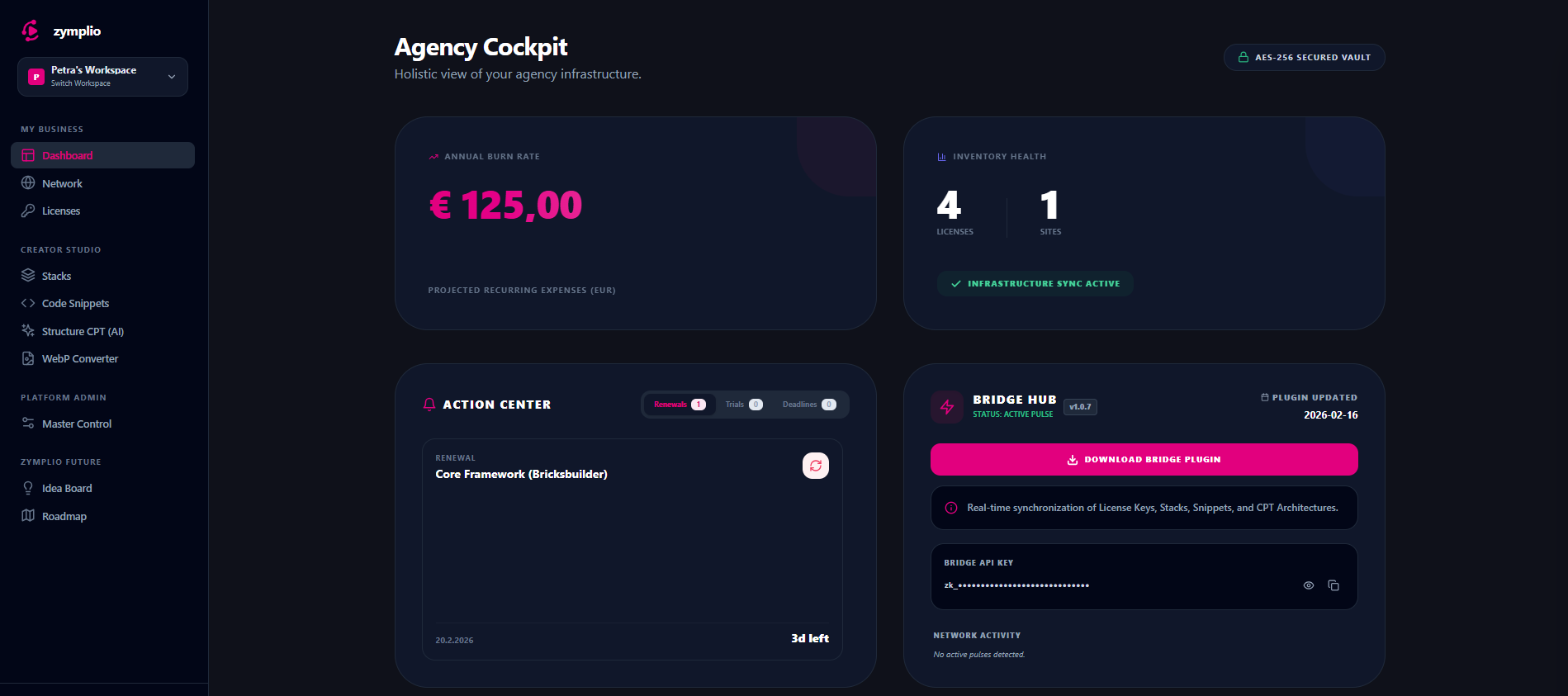
The Dashboard is the heart of your zymplio experience. It is your personal Agency Cockpit—a central hub designed to give you full visibility and control over your entire WordPress infrastructure.
We built the Agency Cockpit to be clean, fast, and data-driven, allowing you to monitor your agency’s health at a single glance.
1. Financial Vital Signs (Annual Burn Rate)
The first thing you see in your Cockpit is your Annual Burn Rate. This card calculates your projected recurring expenses for all your software licenses.
- Real-Time Calculation: It automatically converts different currencies into your preferred currency (e.g., EUR).
- Transparency: You see exactly how much your “WordPress Stack” costs you per year, helping you manage your agency’s budget more effectively.
2. Inventory Health
Next to your financial stats, the Inventory Health card shows you the scale of your operations:
- Licenses: The total number of software keys and plugins you are managing.
- Sites: The number of WordPress websites currently connected to your network.
- Infrastructure Sync: A status indicator confirms if your data is currently synchronized and up to date.
3. The Action Center (Your Alert System)
The Action Center is your proactive assistant. It monitors your licenses and alerts you before things go wrong. It is divided into three tabs:
- Renewals: Shows upcoming payments for your plugins so you never lose a license by accident.
- Trials: Keeps track of trial periods, so you can decide to keep or cancel a tool before you are charged.
- Deadlines: Monitors “Refund Windows” (Return Dates), ensuring you can get your money back if a tool doesn’t fit your needs.
4. Connectivity & Bridge Status
The Connectivity Card shows you the status of your zymplio Bridge. It tells you if your WordPress sites are successfully communicating with your Cockpit. This is essential for remote syncing and AI Architect features.
5. Expense Analyzer & News Feed
- Expense Analyzer: Provides a deeper breakdown of your costs, helping you identify which tools are your biggest investments.
- News Feed: Keeps you updated with the latest features, security patches, and community news from the zymplio ecosystem.
6. Secure Vault Mode
At the top of your Cockpit, you will see the AES-256 Secured Vault indicator. This confirms that your sensitive data (like license keys) is protected by high-level encryption. Your data is locked, and only you hold the key.