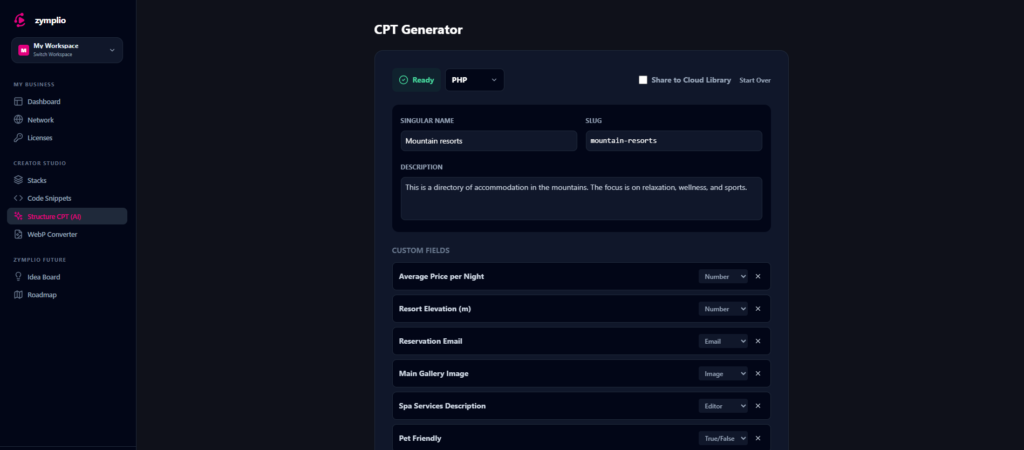
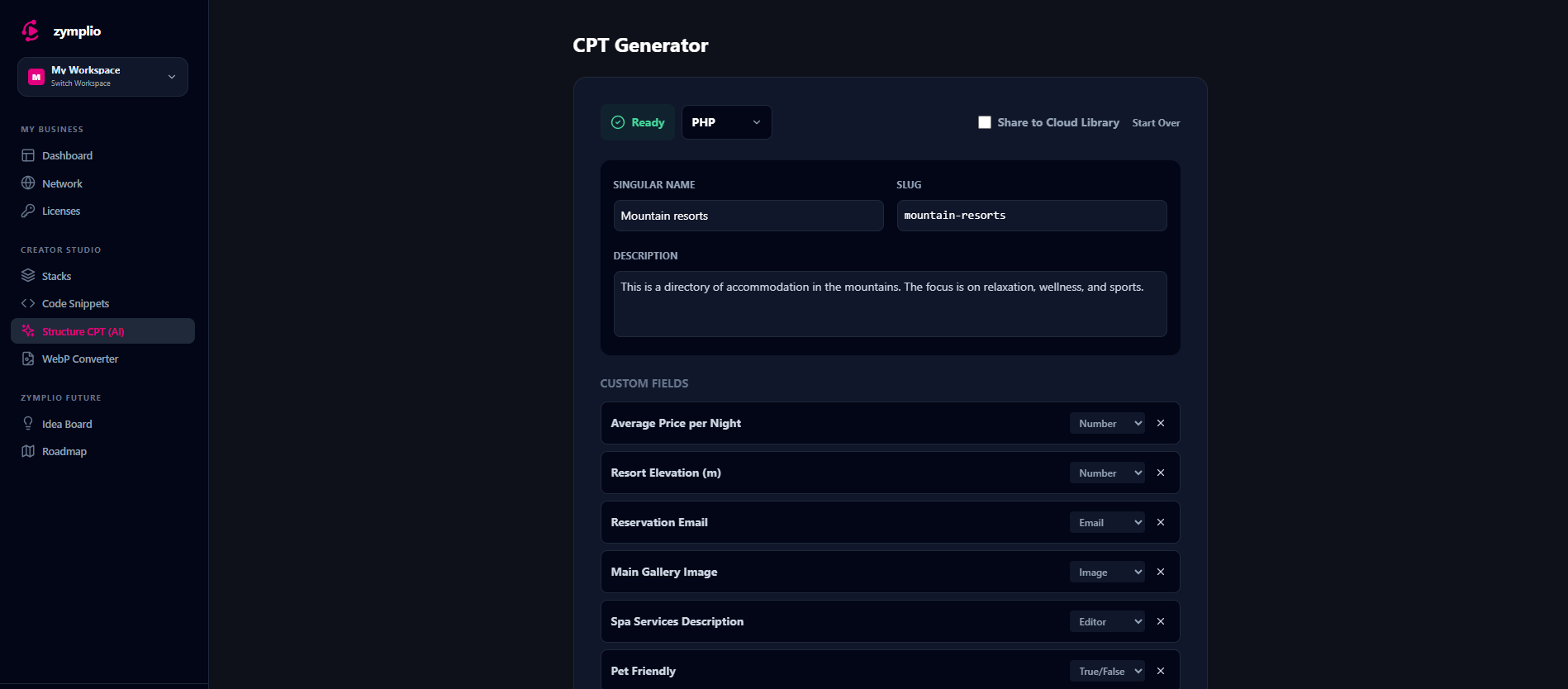
The Structure CPT allows you to plan and build complex WordPress database structures—like Custom Post Types (CPTs), Taxonomies, and Custom Fields—without touching a single line of code.
1. Two Ways to Build
When you start a new structure, you can choose your preferred method:
- Generate with AI: Simply describe your project (e.g., “A real estate platform for luxury villas”). Our AI will automatically suggest the perfect set of fields and categories for you.
- Build Manually: If you already know exactly what you need, you can define every field and taxonomy from scratch using our visual editor.
2. Framework Flexibility
zymplio supports the most popular WordPress tools. You can choose which “language” your structure should speak:
- ACF (Advanced Custom Fields): Perfect for modern, flexible sites.
- PHP Code: Generate raw WordPress code that you can paste into your theme’s functions.php.
- JetEngine, Pods: Choose the framework that fits your workflow.
3. Smart AI Suggestions
If you choose the AI method, zymplio doesn’t just give you a random list. It provides:
- Taxonomies: Smart categories (e.g., “Property Type” or “Location”).
- Custom Fields: Specific data points (e.g., “Price,” “Number of Bedrooms,” or “Gallery”).
- Selection: You can review the AI’s ideas and only keep the ones you actually want.
4. The Visual Editor
Once your structure is created, you can refine it in the editor:
- Fields: Add text fields, image galleries, numbers, or date pickers.
- Slugs: zymplio automatically creates “clean” slugs for WordPress, but you can customize them if needed.
- Organization: Assign your new structure to a Stack so you can reuse it on future projects.
How to Deploy Your Structure
After you have saved your structure to your library, you have three ways to get it into WordPress:
- Direct Assignment: In the editor, use the Site Selector to link the structure to any of your connected WordPress sites.
- Stack Deployment: Add the structure to a Stack and deploy it as part of a larger project bundle.
- Manual Export: Download the structure as a JSON file (for ACF import) or as PHP code to use it manually.
The zymplio Advantage: When you use the zymplio Bridge, your structures can be synchronized remotely. No more manual importing and exporting between local and live sites!